
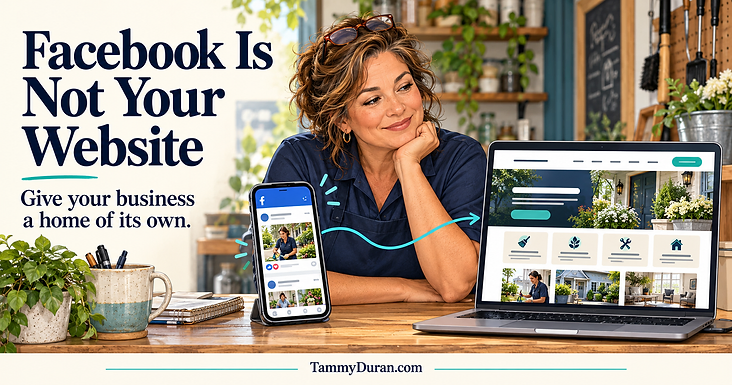
I look up a local business, open its Google Business Profile, and click the website button because I want to know more.
And where do I land?
Facebook.
Sometimes it’s a business page. Sometimes it’s a personal profile. Either way, I’m suddenly scrolling through posts, looking for the information I thought I was about to find.
Do you offer the service I need? Do you work in my area? How do I request an estimate? Is that phone number current?
I came to hire someone. I did not come for a scavenger hunt.
A Facebook page can be a valuable part of your marketing. Your website gives customers a dedicated place to understand your business and take the next step.
For many small businesses, the strongest setup includes a useful website, an accurate Google Business Profile, and a Facebook presence that connects people to both.
If Facebook is currently your entire online presence, here’s what a website can add and how to start without making the project bigger than it needs to be.
Is a Facebook Page Enough for a Small Business?
A Facebook page can be a reasonable starting point.
It gives you somewhere to introduce your business, share photos, answer questions, and connect with people who already spend time there. For a new business testing an idea, that may be enough to begin taking inquiries.
The limitations become more noticeable when customers need detailed service information, when you want to reach beyond your existing audience, or when answering the same basic questions keeps interrupting your day.
Do any of these sound familiar?
- People regularly ask what services you offer.
- Customers don’t know which areas you serve.
- Important details are buried in older posts.
- Your personal messages and business inquiries get mixed together.
- You keep explaining the same process to every potential customer.
- You have nowhere organized to showcase your best work.
Those are useful signals that your business could benefit from a website.
You do not need to wait until your business is large. You also do not need a large website to be useful.
A stranger should be able to understand what you do and how to contact you without studying your posting history.
Facebook Page vs. Website: What Each One Does Well
Your Facebook page and your website can support the same business while handling different parts of the customer experience.
Here’s how I think about their roles.
Share Updates on Facebook. Explain Services on Your Website.
Facebook is useful for sharing something timely: a completed project, a schedule opening, a seasonal reminder, or a look behind the scenes.
Your website gives your services a consistent home.
Instead of hoping someone finds the post explaining your process, you can send them directly to a page that answers their questions.
Start Conversations on Facebook. Organize Information on Your Website.
Comments and messages can help you connect with potential customers.
Your website can organize the information those conversations often require: service descriptions, frequently asked questions, service areas, and contact options.
Customers who prefer to research before reaching out can do that on their own time.
Show Recent Work on Facebook. Showcase Selected Projects on Your Website.
A Facebook photo can show what your team accomplished today.
A website portfolio can explain the project, the customer’s needs, and the work you delivered. It gives your strongest examples a place where they remain easy to find.
You can share a project on Facebook and link to the fuller story on your website.
Connect With Followers on Facebook. Guide Visitors on Your Website.
Facebook helps you stay connected with an audience.
Your website can provide a deliberate path for someone who is ready to act: call, request an estimate, book an appointment, or submit an inquiry.
Choose the next step that fits your business and make it obvious.
Use Facebook’s Layout. Shape Your Website Experience.
Your Facebook page uses the platform’s layout and available features.
Your website gives you more choices about navigation, presentation, service information, and how your brand appears.
Use Facebook to connect. Give customers a clear place to learn more.
What Happens When Your Website Button Opens Facebook?
The customer’s expectation matters.
When I click a website link, I expect a place organized around the business: services, location or service area, examples of work, and ways to get help.
A social page may answer those questions. It may also put recent posts, comments, platform navigation, and unrelated content between the visitor and the information they need.
Some visitors may encounter login prompts or other friction, depending on how they access the page.
That does not mean every customer will leave. It means you may have given them more work to do.
Imagine a homeowner looking for septic service in Rio Rancho.
They want to know whether the company offers pumping, whether it serves their neighborhood, and how to request service.
A Facebook post showing a completed job helps demonstrate activity. A clear service page can answer the hiring questions in one place.
Your customer may be comparing several businesses. Making basic information easy to find is a practical way to make their decision easier.
Connect Your Google Business Profile, Website, and Facebook Page
Your online presence should feel connected.
Google’s business representation guidelines say a website should represent the individual business location. Google also offers a separate social profiles feature for supported platforms, including Facebook, where available.
My recommendation is to use your business website as your main website destination and add Facebook through the social profile option when your profile supports it.
This is about creating a clearer customer journey. It is not a claim that a Facebook link automatically causes a Google penalty or that adding a website guarantees better rankings.
Give each part of your online presence a purpose:
- Google Business Profile: Help people discover essential local business information.
- Your website: Explain your services, demonstrate your work, and provide clear contact options.
- Facebook: Share updates, participate in conversations, and draw attention to useful information.
Keep your business name, phone number, services, and other important details consistent and accurate wherever they appear.
For more help with your local listing, read my Google Business Profile guide for local businesses.
A Website Helps Your Brand Feel Cohesive
Your business has its own personality, standards, and way of serving customers.
Your online presence should communicate those things consistently.
On your website, you can decide:
- What customers see first.
- How you explain your services.
- Which projects you highlight.
- How your logo, colors, and photography work together.
- What you want visitors to do next.
That is where branding becomes practical.
Someone who sees your truck, business card, Facebook page, Google profile, and website should recognize the same business.
But a polished appearance alone is not enough. Your message also needs to be clear.
“Quality solutions for all your needs” tells me very little.
“Septic pumping for homeowners in Rio Rancho and nearby communities” tells me what you do and where you work, assuming that accurately describes your business.
Clarity is part of your brand, too.
Your Business Should Have More Than One Way to Reach Customers
Your Facebook presence operates within Meta’s platform. Its layout, policies, and account access systems are outside your control.
A website can reduce your dependence on that single channel.
If you lose access to one platform or it becomes unavailable, customers can still have another place to find your services and contact information.
A website needs care, too. Domains need renewing. Hosting and software need managing. Accounts need protecting.
The goal is to keep your business informed and prepared.
- Register your domain through an account your business controls.
- Know who has access to your website and hosting.
- Keep copies of important content and original brand files.
- Understand any restrictions on moving or exporting your site.
- Use secure logins and recovery information you can access.
Paying for a website should not leave you guessing who controls it or how to update it.
Can a Facebook Page Help With SEO?
A public Facebook page may appear in search results, which can be useful when someone searches for your business.
A website gives you additional room to explain specific services, answer customer questions, and organize information into useful pages.
An electrician, for example, might have separate information about panel upgrades, lighting installation, and troubleshooting.
A landscaping company might explain maintenance, irrigation repairs, and yard cleanups.
Those pages can help customers understand whether the business offers the work they need.
The content should be specific and helpful. Creating dozens of nearly identical pages with different city names is not a substitute for explaining your services well.
Google’s people-first content guidance emphasizes helping readers. It also states that Google does not have a preferred word count.
In other words, a long article earns its space by answering useful questions. Repeating a keyword until everyone needs a nap is not a strategy.
Your website creates opportunities to publish helpful information. It does not guarantee rankings.
What About AI Search, AEO, and GEO?
The terminology keeps growing, but your starting point remains clear, useful business information.
You may hear:
- SEO: Search engine optimization.
- AEO: Answer engine optimization.
- GEO: Generative engine optimization.
The last two terms often come up in discussions about visibility in AI-generated answers.
For Google’s AI Overviews and AI Mode specifically, its official guidance says existing SEO best practices remain relevant and no special additional optimization is required.
That does not establish how every AI platform works, and it does not guarantee inclusion in an answer.
For your business, start with the questions a customer needs answered:
- What do you offer?
- Where do you work?
- Who do you help?
- What does your process involve?
- How can someone contact you?
Your website gives those answers an organized home.
A Website Should Make Inquiries Easier
Visibility is one part of marketing. You also need a useful next step for someone who is interested.
Your website can connect visitors with:
- A phone number.
- An inquiry form.
- A booking tool.
- A request for an estimate.
- An email signup.
- Another appropriate action.
The right choice depends on how your business operates.
For a local service business, a useful form might ask for a name, contact details, the service needed, and a general location.
Collect what helps you respond. Someone should not have to complete a small mortgage application to request a callback.
Then test the entire process.
Does the request arrive? Who receives it? Does the customer see a confirmation? Is someone responsible for responding?
A beautiful form that nobody checks is an expensive suggestion box.
What Does a Small Business Website Actually Need?
Start with information that helps customers make a decision.
A Clear Explanation of Your Services
Say what you do in familiar language.
Include enough detail for customers to recognize whether your business can help them. Explain important limitations or requirements where relevant.
Your Location or Service Area
Tell people where you work.
If customers do not visit your home or office, explain your service area rather than unnecessarily publishing a private address.
Real Examples and Credible Details
Use current photographs and relevant examples.
Include genuine testimonials you have permission to share. Mention licenses, credentials, or insurance only when those statements are accurate and applicable.
An Obvious Contact Method
Make calling or submitting an inquiry straightforward, especially on a phone.
State response expectations only when your business can consistently meet them.
A Mobile-Friendly Experience
Check that text is readable, navigation is simple, buttons are usable, and forms work without pinching and zooming.
A website should make things easier for someone standing in their driveway with a phone in their hand.
A Manageable Update Process
Someone needs to keep important information current.
A smaller website that gets maintained can serve customers better than a sprawling website nobody wants to touch.
You Can Keep Using Facebook
Keep sharing completed projects, introducing your team, answering questions, and showing the personality behind your business.
Then connect those posts to useful destinations.
A photo of a recent installation can link to the relevant service page.
An answer you give repeatedly can become an article.
A promotion can lead to a page with the details and an appropriate inquiry option.
Give people a reason to click by explaining what they will find.
Your Facebook page can stay active while your website provides deeper, organized information. Together, they become part of a more connected marketing system.
A Practical Starting Plan
If Facebook is currently your entire online presence, start here.
- Review the customer experience. Open your Google profile and Facebook page on a phone. Try viewing them while logged out, too.
- Look for missing information. Can someone easily find your services, service area, and contact options?
- Choose a domain you control. Keep it recognizable and easy to share.
- Create a focused website. Start with essential information and one clear primary action.
- Connect your profiles. Update your website links and add social profiles where supported.
- Test every inquiry option. Check calls, forms, confirmation messages, and notifications.
- Assign responsibility for updates. Decide who keeps the information current.
You do not have to solve every marketing problem before making this improvement.
Build a useful foundation, then expand when there is a reason.
Frequently Asked Questions
Do I Need a Website if Most of My Customers Come From Facebook?
A website can still help those customers understand your services, review your work, and contact you.
Whether it should be your next investment depends on your budget, business needs, and how well your current setup handles inquiries.
Can I Use Facebook Instead of a Website on Google Business Profile?
You may encounter profiles that do this.
My recommendation is to link to a website representing your business and use Google’s separate social profile field for Facebook where available.
Seeing something on another profile does not establish that it is the best setup for your business.
Will a Website Automatically Bring Me More Customers?
No.
A website needs useful content, a workable customer experience, ways for people to discover it, and reliable follow-through.
It supports your marketing, but it does not eliminate the need to market your business.
Is a One-Page Website Enough?
It can be, particularly for a business with a focused offering.
Add pages when customers need more detail about distinct services, projects, or questions. Useful organization matters more than reaching a certain page count.
Should I Delete My Facebook Page After Launching a Website?
Launching a website is not, by itself, a reason to delete your Facebook page.
Keep the page if it serves your audience, update its information, and connect it to your website.
Does a Website Need Constant New Content?
Important information should stay accurate, but you do not need to publish something new every day.
Start by maintaining your services, contact details, examples of work, and answers to common questions. Add articles when you have something useful to explain.
Give Your Business a Clear Place to Send People
Your customers should be able to move from “I found you” to “I understand what you do” to “Here’s how I contact you.”
That is what I mean when I talk about making your digital real estate work for your business.
Your website, profiles, brand, content, and follow-up should support one another.
Through Duran Digital LLC, I help businesses bring those pieces together, from branding and online visibility to content and practical marketing systems.
Visit TammyDuran.com to explore my work and tell me what your business needs next.
Your customers came looking for help. Make the next step easy to find.
Written by Tammy Duran, owner of Duran Digital LLC and cofounder of New Mexico Artisan Collective and Rio Rancho Roundup.